
Emoji Battery Icon Customize
New Widget Co.Personalization
4.5387.00 Reviews
- Version
- 1.4.8
- Installs
- 10.00M
- Age Rating
- Everyone
Screenshots
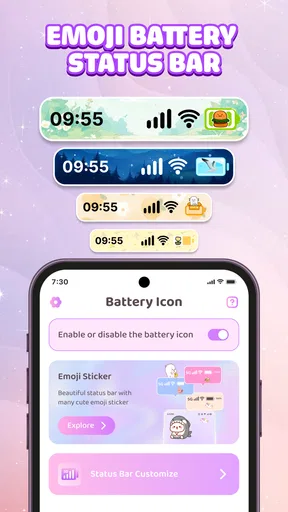
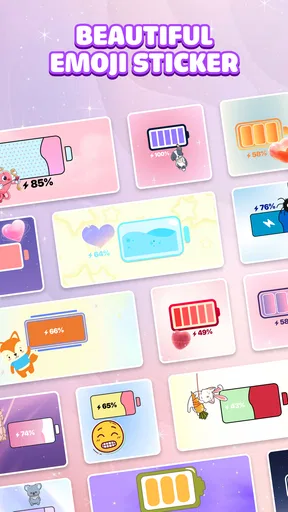
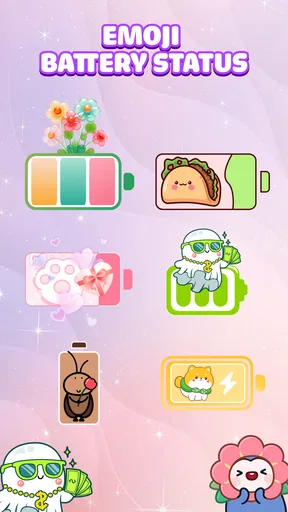
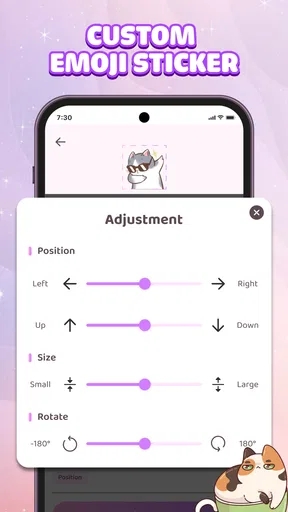
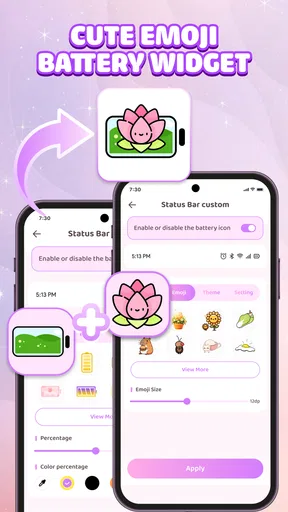
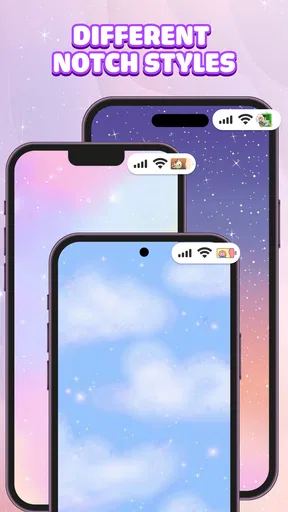
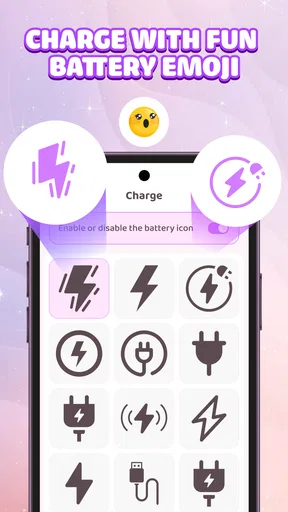
Our Review of Emoji Battery Icon Customize
 Analysis by Appyee
I like small personalization apps when they change the feel of a phone without turning setup into a project. Emoji Battery Icon Customize takes that simple idea and applies it to one of the most useful pieces of status information: the battery level. Instead of leaving the battery indicator looking purely functional, it gives the phone a more playful visual identity through an emoji-style battery widget and icon.
After spending time with it, my impression is that this is a focused customization app rather than a complete launcher, theme engine, or battery-management tool. That distinction matters. It is designed for people who want their home screen or battery indicator to feel more personal, not for anyone expecting charging controls, detailed power reports, or serious system diagnostics.
The app sits in the personalization category and is made by New Widget Co. It is free to install, with optional in-app purchases priced from $1.99 to $9.99 per item. That makes the first decision fairly easy: you can try the basic experience without paying, then decide whether the extra customization is worth spending money on. I appreciate that approach because an emoji battery concept is very taste-dependent; some people will love it immediately, while others will find the novelty wears off.
How the emoji battery experience works in everyday use
The main appeal is visual clarity with personality. A conventional battery symbol is easy to ignore because it looks the same on almost every phone. An emoji-based treatment attracts more attention and can make a home screen feel less sterile. I found the idea most convincing when the rest of the phone already had a casual or colorful style. On a restrained, monochrome setup, the widget can feel like it belongs to a different design language.
The widget is the part I would focus on first. A home-screen battery display has a practical advantage over a decorative wallpaper: it gives the customization a job to do. You are not adding an image that simply occupies space. You are placing a visual reminder of remaining charge where you can see it while checking the time, calendar, or other widgets.
That said, a widget is not automatically better than the battery indicator already built into the operating system. The built-in indicator is usually more immediate because it is always in the status area, while a home-screen widget depends on where you place it and how often you look at that page. For me, the app makes more sense when the widget is treated as a visible design element that also communicates battery state, rather than as a replacement for every system-level battery signal.
A useful setup is to place it near the edge of the first home-screen page, where it remains visible without competing with the clock. I would avoid stacking it beside several other decorative widgets. The emoji battery works best when it has enough space to be read quickly. Crowding it among weather, calendar, music, and social widgets can make the page look busy and reduce the very clarity the app is supposed to provide.
One practical tip is to choose the placement before choosing the surrounding theme. The battery widget becomes a visual anchor, so icons, wallpaper, and folders should support it rather than fight for attention. This is a small point, but it makes the difference between a deliberate layout and a collection of unrelated decorations.
What the free starting point means
Because the app is free, the sensible way to evaluate it is to install it and see whether the basic widget fits your routine before considering any purchase. The free entry point lowers the risk, especially for users who are curious about the style but are not committed to changing their entire home screen.
The optional purchases change the value calculation. A paid item can be reasonable if it gives you a look you will keep using for months, but less appealing if you only want to experiment for an afternoon. I would not buy an extra style simply because it looks amusing in a preview. I would first live with the free version through a normal charging cycle, then ask whether the customization still improves the phone when the novelty has settled.
The listed purchase range is broad enough that the individual item matters. A lower-priced addition may be easy to justify as a small personalization treat. A higher-priced one deserves more thought, particularly because this app has a narrow purpose. You are paying for visual expression, not for faster charging, longer battery life, or deeper battery analysis.
That is the central value boundary: the app sells a different way to see battery status, not better battery performance. If you understand that before installing it, the pricing feels easier to judge. If you expect a utility that extends battery life, the purchase would be poor value regardless of how attractive the icon looks.
Small design choices that affect whether it feels useful
The strongest use case I found is a phone that already has a recognizable personal theme. Someone using cute wallpapers, colorful app icons, or a relaxed lock-screen style can make the emoji battery feel like part of a larger visual system. It can also work well on a secondary home-screen page dedicated to personal items, where a playful widget is welcome but does not need to share space with work tools.
There is also a subtle accessibility trade-off. A familiar battery percentage is precise, while an expressive icon may communicate mood or level more quickly but with less exactness. If you regularly need to know whether the phone is at a very specific charge level, I would keep the system percentage visible and use this app as a companion. The emoji treatment is best for quick awareness, not as the only source of precise battery information.
Another useful workflow is to pair the widget with a charging habit. For example, I would place it beside the charging reminder or on the page I check before leaving home. The visual change can make the battery easier to notice during that routine. This does not automate charging or predict how long the phone will last; it simply makes the existing information more noticeable.
Users who switch between several home-screen layouts should think about maintenance. A widget-based customization can look excellent in one arrangement and awkward after moving icons, changing wallpaper, or applying a new launcher layout. The app is therefore more rewarding for people who enjoy occasional visual tidying than for those who constantly rebuild their phone interface.
Where it differs from ordinary battery tools
Most battery utilities are judged by information: percentages, usage history, charging behavior, temperature, or power-hungry apps. Emoji Battery Icon Customize belongs to a different group. Its purpose is closer to a decorative widget than a diagnostic dashboard.
That makes the comparison straightforward. Choose a conventional battery monitor if you want explanations for fast drain or a detailed view of consumption. Choose the built-in system indicator if you want the least distracting and most dependable way to check charge. Choose this app if the standard indicator feels dull and you want battery status to participate in the phone’s visual style.
It also differs from a full launcher or icon-pack setup. A launcher can reshape navigation, grids, gestures, and app presentation across the entire phone. This app is much narrower, which is both its advantage and its limitation. Installation should be less of a commitment than rebuilding the whole interface, but the result will naturally be less transformative.
I would also avoid comparing it with battery-saving tools. Those apps address background activity and power use; this one addresses appearance. The two ideas can coexist, but they solve completely different problems. Confusing them would lead to the wrong expectations about what the app can do.
Compatibility, maturity, and day-to-day friction
The app supports Android 8.0 and later, which gives it a broad place on older as well as newer Android phones. That is helpful for anyone who keeps a device for several years and still wants a modern-looking personalization option. The current version is 1.3.9, so the app is not presented as an abandoned one-off experiment.
Still, widgets can behave differently depending on the phone’s home-screen software. The exact appearance of a widget may be influenced by the launcher, icon spacing, screen size, and system theme. I would treat the first setup as a visual test: place it, return to the home screen, resize or reposition it if needed, and check it in both light and dark surroundings.
Some people may also find a cute battery icon less informative than a percentage. That is not a flaw for the intended audience, but it is a real limitation for users who prefer dense information. If your phone is used for navigation, travel, field work, or long stretches away from a charger, precision may matter more than charm. In those situations, I would keep the operating system’s battery details easy to access and consider this app only as an optional visual layer.
The age rating is Everyone, which fits the uncomplicated nature of the concept. It is an app about changing the look of a phone, not a social service or a game that requires a particular audience. Families and younger users who enjoy emoji-led design can understand the appeal immediately, while adults can use it simply as a light home-screen accent.
Who will get the most from it
I think this app is a good match for someone who checks their phone often and wants those small moments to feel more personal. If you already spend time selecting wallpapers, arranging folders, or matching icon colors, an emoji battery widget can complete that process without requiring a full theme overhaul.
It is also suitable for a person who wants a low-commitment change. You do not need to redesign every screen to see the point. A single widget can add character to a plain layout, and removing it later is simple if the style stops working for you.
Parents or casual users may appreciate the immediate visual cue, especially if a playful icon is easier to notice than a tiny standard symbol. However, I would still encourage anyone who depends on accurate charge readings to keep the percentage available elsewhere. The app can improve visibility, but it should not replace good battery awareness.
On the other hand, I would skip it if you want a clean, professional interface with no decorative elements. I would also skip it if your main concern is battery life, charging speed, or diagnosing drain. The app cannot justify its cost in those cases because its value is entirely visual.
Popularity is encouraging, but personal fit matters more
The app has an average rating of 4.7 from around 52 thousand ratings, and it has passed 10 million installs. Those figures suggest that the concept connects with a large audience, especially among people who enjoy expressive phone customization. They are useful signs that the idea is not obscure, but they do not guarantee that the emoji style will suit your own layout.
I would read that popularity as evidence of broad appeal rather than proof of universal usefulness. A highly rated decorative app can still be wrong for someone who values minimalism or exact technical information. In this case, the decision should come from your home-screen habits, not from the size of the audience alone.
The developer, New Widget Co., has kept the product identity focused around widgets and visual personalization. That focus is a strength because the app does not need to pretend to be a complete battery suite. It also means the experience will be judged almost entirely on how attractive and convenient the widget feels after the first few days.
My verdict on paying for customization
My recommendation is to start with the free version and use it in a realistic routine rather than judging it only from the first setup screen. Put the widget on the page you actually use, check whether it remains readable beside your normal icons, and notice whether it helps you remember the battery level without adding clutter.
If the free experience becomes part of your daily layout, an optional purchase can make sense as a small design expense. I would choose the item carefully and compare its lasting usefulness with the fact that this remains a single-purpose personalization app. The higher end of the purchase range is harder to defend unless the style is genuinely important to you and you expect to keep it for a long time.
If you want technical battery information, system-level efficiency tools, or a minimalist interface, your phone’s standard indicator is the better choice. If you want a full visual makeover, a launcher or broader theme solution will deliver more change. But if your goal is narrower—making battery status feel cheerful, noticeable, and more like part of your personality—this app is an easy one to try.
Overall, I see Emoji Battery Icon Customize as a charming, limited tool that earns its place through personality rather than depth. The free access makes experimentation sensible, while the optional purchases should be treated as style upgrades rather than necessities. I would recommend it to anyone who enjoys a playful home screen and understands the trade-off between expressive design and precise battery information.
For me, the buy-or-skip decision is simple: try it free if you want your Android phone to look less ordinary, keep it if the widget still feels useful after the novelty fades, and skip paid extras unless they solve a real visual preference. That is where the app delivers its best value—small, visible personalization without asking you to rebuild the entire phone.
Privacy and Permissions
See what permissions an app requests and how it handles your data.
- Device & app history
- retrieve running apps
- Photos/Media/Files
- read the contents of your USB storage, modify or delete the contents of your USB storage
- Storage
- read the contents of your USB storage, modify or delete the contents of your USB storage
- Wi-Fi connection information
- view Wi-Fi connections
- Other
- view network connections, connect and disconnect from Wi-Fi, full network access, run at startup, draw over other apps, control vibration, prevent device from sleeping, Google Play license check
Verdict
Strengths of Emoji Battery Icon Customize
- Fun way to personalize your phone’s battery indicator
- Offers expressive emoji designs for different moods
- Lightweight app with a simple customization process
- Makes battery status easier to notice at a glance
- Useful for users who enjoy themed home-screen details
Limitations of Emoji Battery Icon Customize
- Some emoji styles may feel repetitive after extended use
- Customization options can vary by device and Android version
- May require notification or display permissions to work properly
- Battery visuals may be less practical than the standard indicator
- Ads or optional purchases may affect the overall experience
Other Releases by New Widget Co.
View All
Control Widget: Theme & Panels
Personalization4.4
Similar Picks in This Category
View All
Microsoft SwiftKey AI Keyboard
SwiftKey4.3

Wallpapers
Google LLC4.1

Zedge™ Wallpapers & Ringtones
Zedge4.7

Yandex Browser with Alice AI
Direct Cursus Computer Systems Trading LLC4.3

Ringtone Maker:create ringtone
Big Bang Inc.4.7

Fonts Keyboard
Fonts Keyboard3.9
Frequently Asked Questions
What is Emoji Battery Icon Customize?
Emoji Battery Icon Customize is a personalization app designed to give your device’s battery indicator a more expressive appearance. Instead of relying only on the standard system icon, you can choose emoji-inspired designs, colors, and visual styles to make the battery display feel more personal. Its exact behavior may vary depending on your Android version, device manufacturer, and the permissions available to the app.
How does Emoji Battery Icon Customize change the battery display?
After opening the app, you typically select a preferred emoji battery style and follow the on-screen instructions to activate it. Some devices may support an overlay, widget, notification, or home-screen element rather than replacing the built-in status-bar icon directly. Because Android interfaces differ between brands, users should check the preview and permission requests carefully before assuming the customization will appear in every part of the system.
Does Emoji Battery Icon Customize require special permissions?
The app may request permissions such as displaying over other apps, sending notifications, running in the background, or accessing battery information. These permissions can be necessary for keeping a custom indicator visible and updated, but they should still be reviewed before approval. If the app asks for access that seems unrelated to battery customization, consider denying it and checking whether the main features continue to work.
Will Emoji Battery Icon Customize drain my battery?
A battery customization tool normally uses limited resources, but any app that remains active in the background can have some effect on battery life. The impact depends on the update frequency, animations, notifications, and your phone’s battery-management settings. During testing, users should monitor battery usage in system settings, disable unnecessary animations, and prevent the app from running continuously if the device begins to lose power noticeably faster.
Is Emoji Battery Icon Customize compatible with every Android phone?
Compatibility is not guaranteed across all Android smartphones and tablets. Manufacturer interfaces, Android versions, screen layouts, permission restrictions, and battery-saving features can affect how the customization appears and whether it updates correctly. Before downloading, check the app’s supported Android version and recent user feedback. If your phone uses an aggressive background-management system, you may need to allow limited background activity for reliable results.
